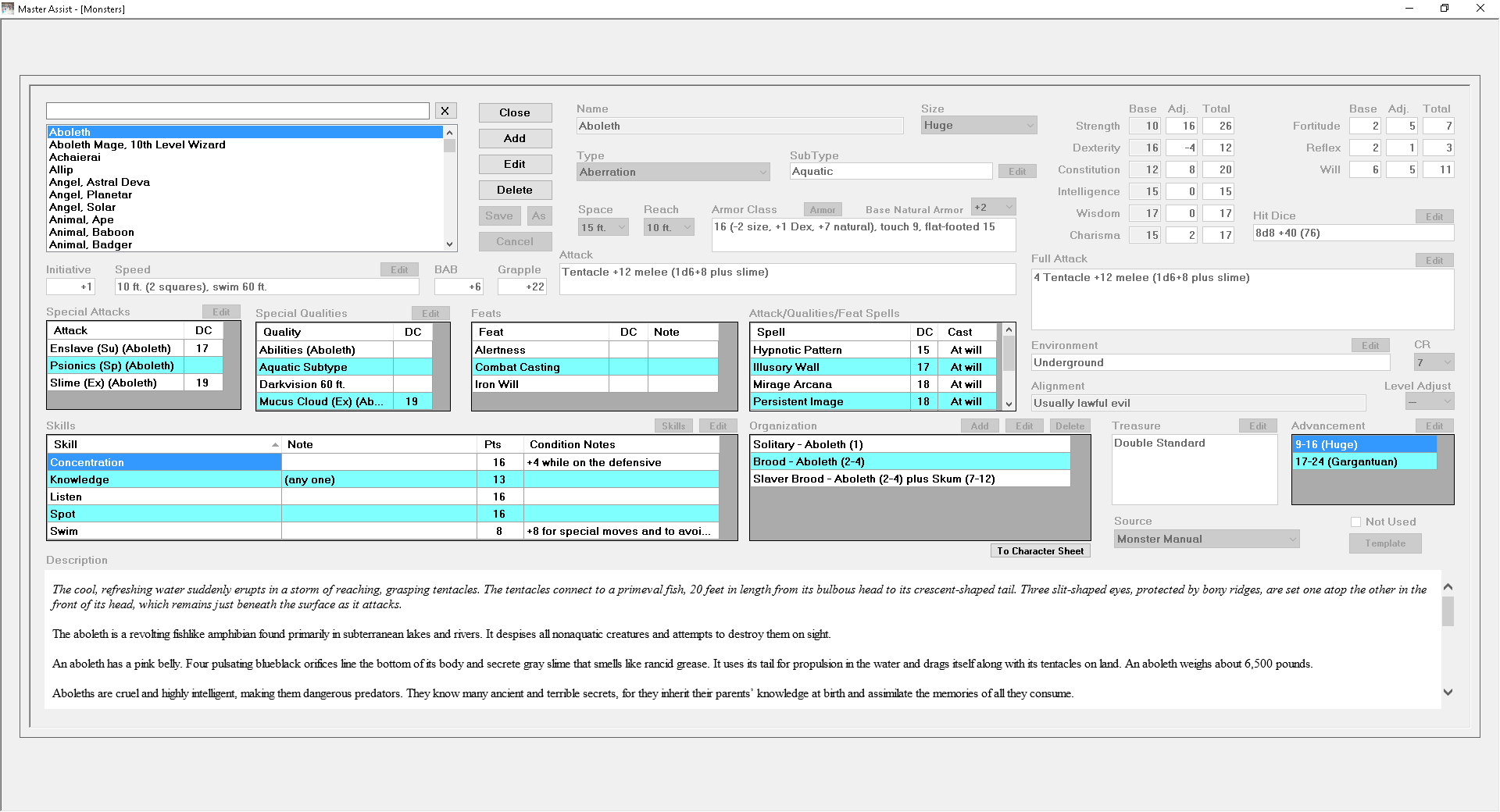
This is the screen for monsters. It has 99% of the information from each monster in the Monster Manual. You can click on a monster and get detailed info, such as the Aboleth. Most items are calculated automatically, based of Type (Aberration, Magical Beast, etc.), Hit Dice, Class (and Prestige Class), etc.
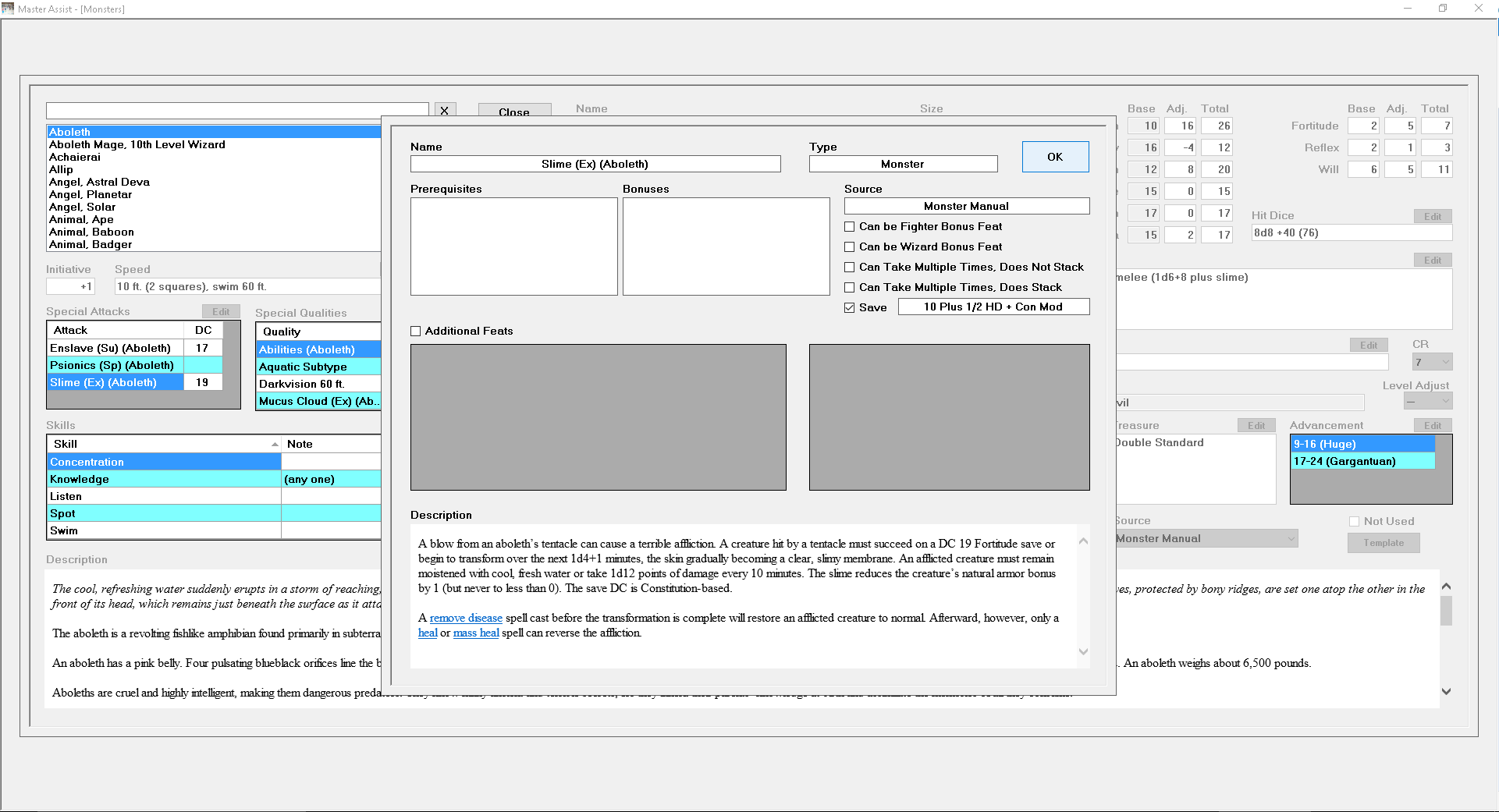
You can click on any item in the Special Attacks, Special Qualities, Feats, Spells, or Skills boxes and it will bring up a description of that item.
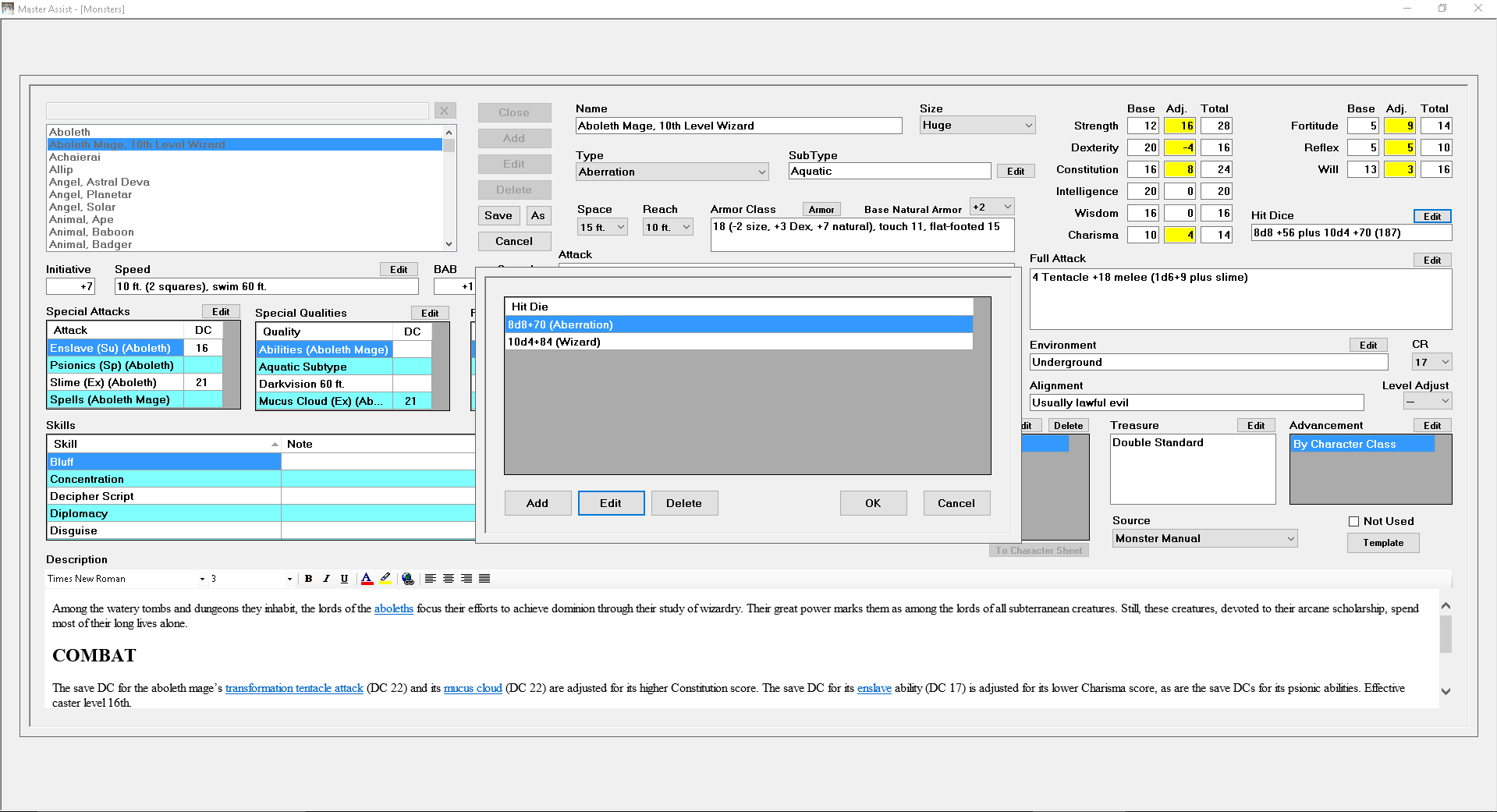
I selected Aboleth Mage, 10th-Level Wizard, clicked Edit. You can see that the Strength, Dexterity, Constitution, and Charisma Adjustment boxes are yellow. This lets you know that something has changed for those abilities. Strength, Dexterity and Constitution have been adjusted for the size change from Medium to Huge. Same goes for the Fortitude, Reflex and Will Adjustments, either Ability Scores have made an adjustment, or the Abjuration Hit Dice or Wizard Hit Dice, or a Feat (Iron Will ups Will Save by 2) have made adjustments to these scores. Clicking on the Edit beside the Hit Dice box will bring up the center screen. You can then Add, Edit or Delete an entire Hit Die.
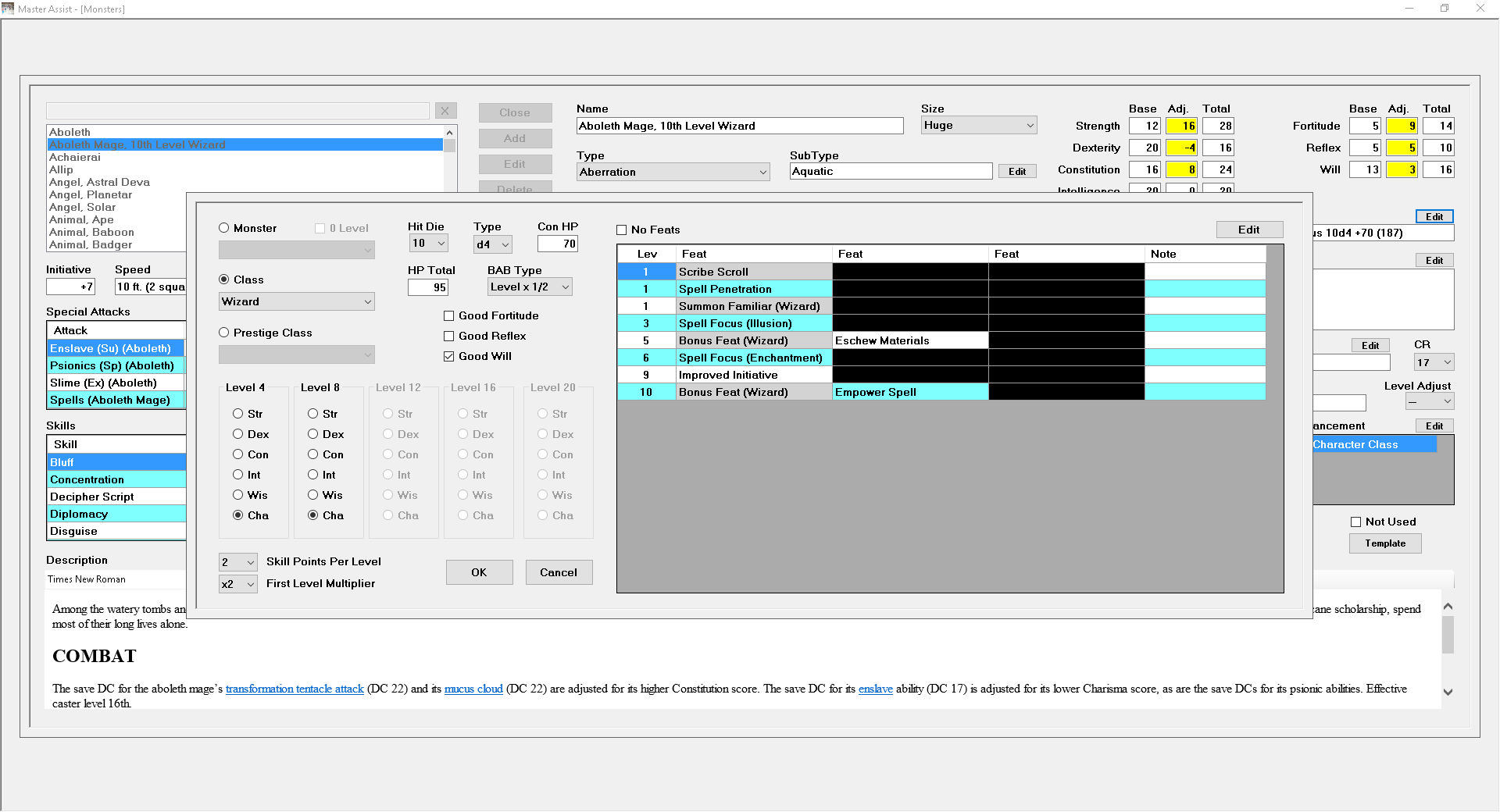
I selected the Wizard Hit Die and clicked Edit. The Feats that are applied by Class or Prestige Class are automatically applied here (and have a grey background, letting you know you can't change them). You can change the die type, so that if your Wizard class have a d12 for hit points, you can do that, as well as BAB Type, Saves, and Skill Point allocation. You also specify which ability gets boosted at 4th, 8th, 12th, 16th and 20th level. These items work the same if you select a Monster Hit Die or a Prestige Class Hit Die.
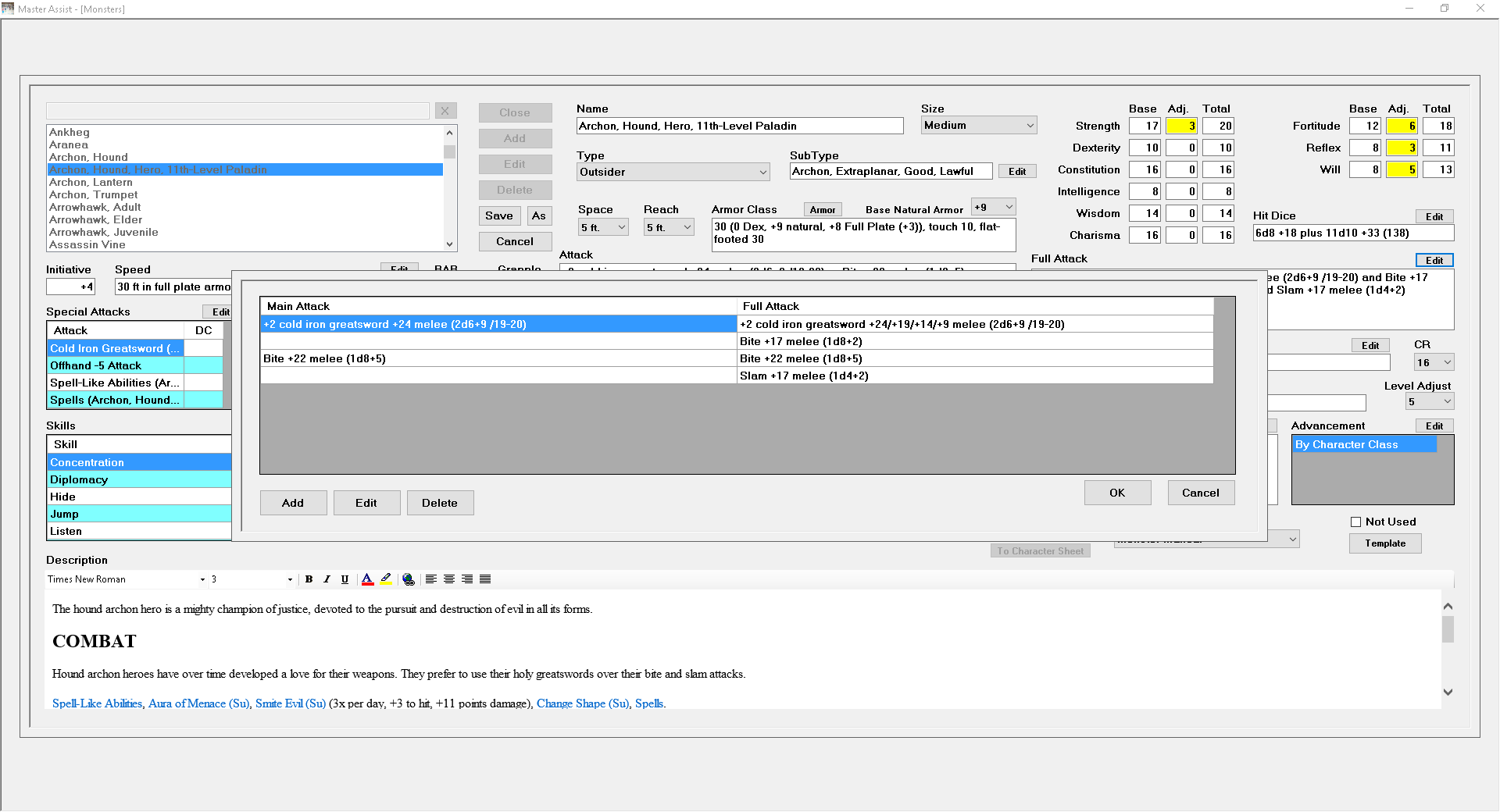
Clicking on the Edit beside Full Attack brings up this screen (I've changed the monster to Archon Hound, Hero, 11th-Level Paladin, since he has a few more attacks than an Aboleth). Again, you can Add, Edit or Delete attacks from this screen.
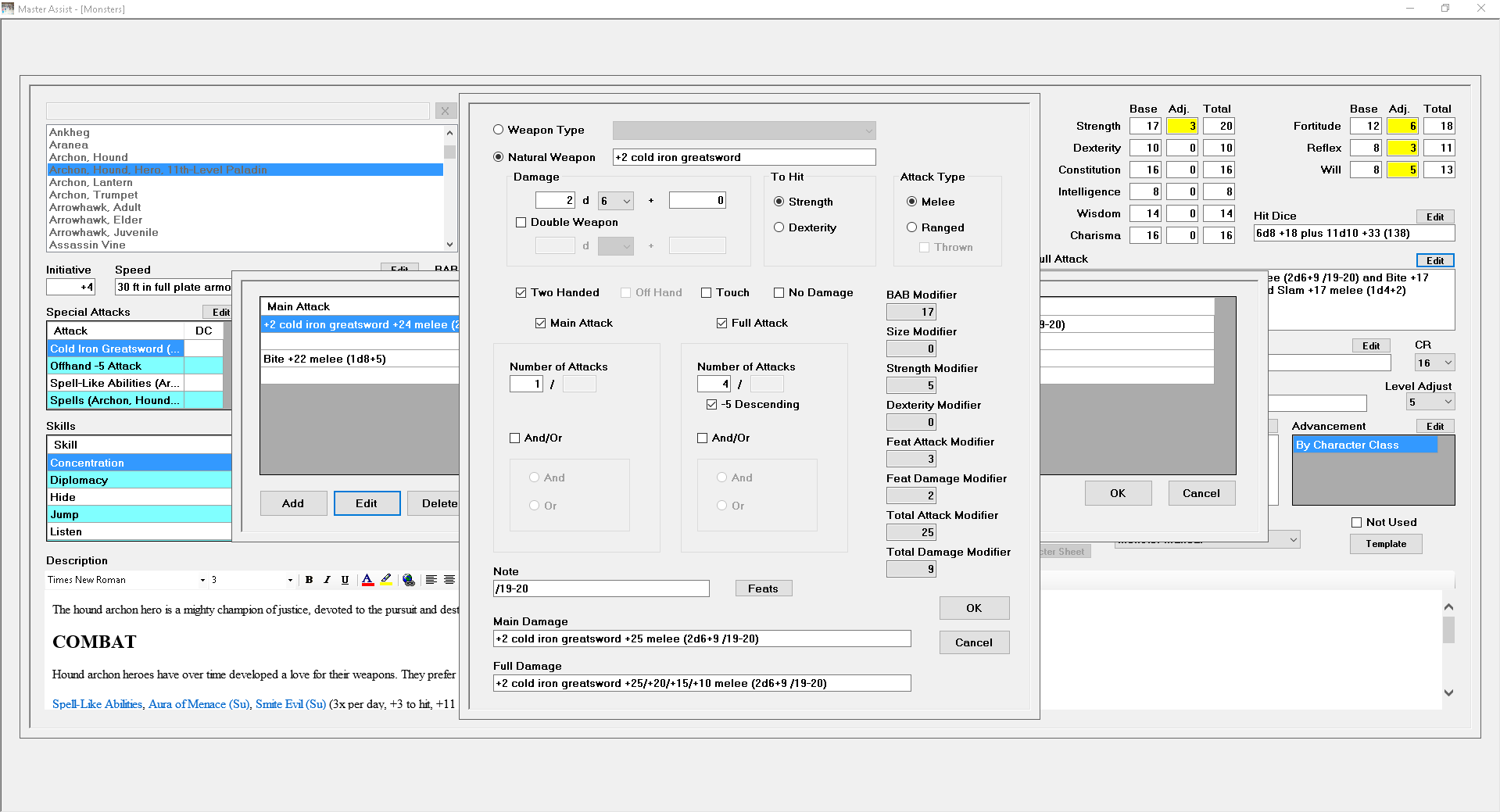
I selected the first attack and clicked Edit. With a Weapon Type selected, it will automatically fill out damage and whether or not it is a Double Weapon. It does not select To Hit and Attack Type. If Offhand is checked, Strength bonus is halved for that attack. You can specify the attack as a Touch Attack and you can specify No Damage (such as the Incorporeal Touch of a Shadow).
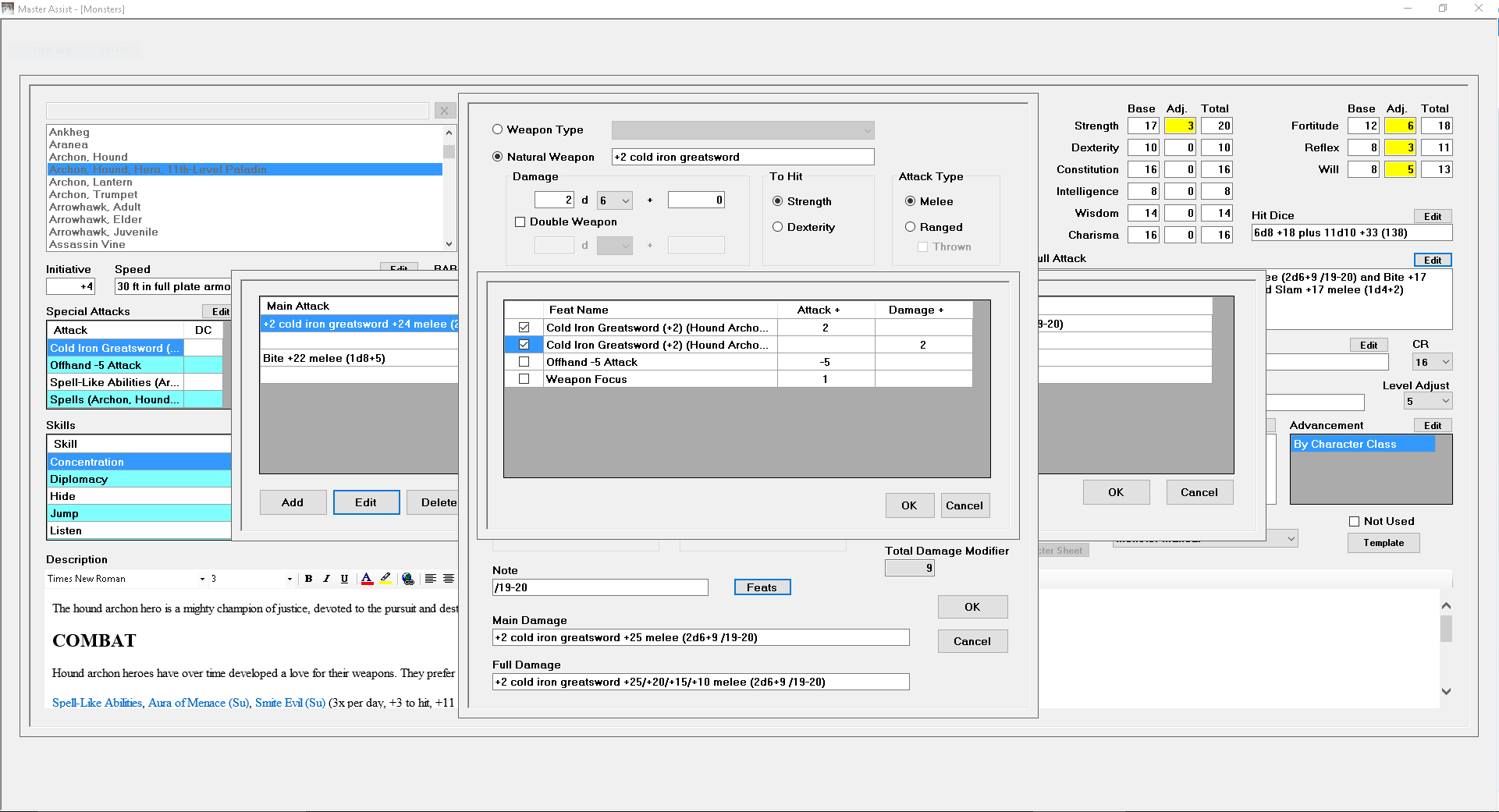
This weapon is magical, so you can click the Feats button beside Note and select what Attack/Damage feats this monster has to apply to this attack. The sword has a +2 Enhancement bonus to Attack and Damage, so both of those are checked. It looks like Weapon Focus should also be checked, but isn't for some reason, damn data entry people (yes, that's me).
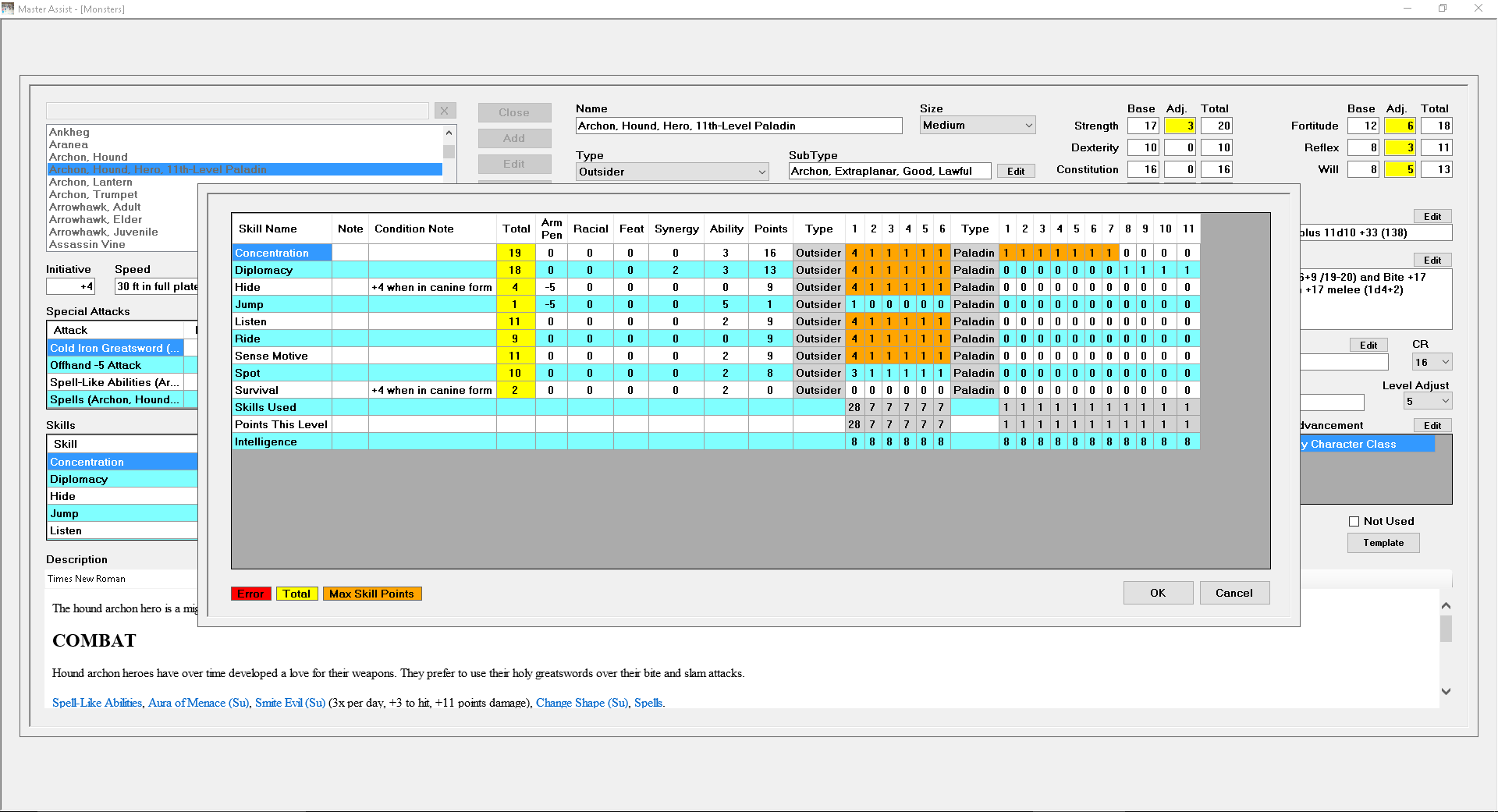
You can click the Skills button and select which Skills the monster has. Then you can click the Edit button and put in skill points for each level. It will automatically adjust for Synergy and armor penalty. There are also Conditional bonuses, which will be put in the Notes section. This will make it easier if you decide you only want an 8th level Paladin, it will automatically cut off Skill Points for 9th, 10th, and 11th. If the number of Skill Points assigned do not equal the number of Skill Points allotted for the type, the Edit button will be colored red to alert you that work needs to be done.
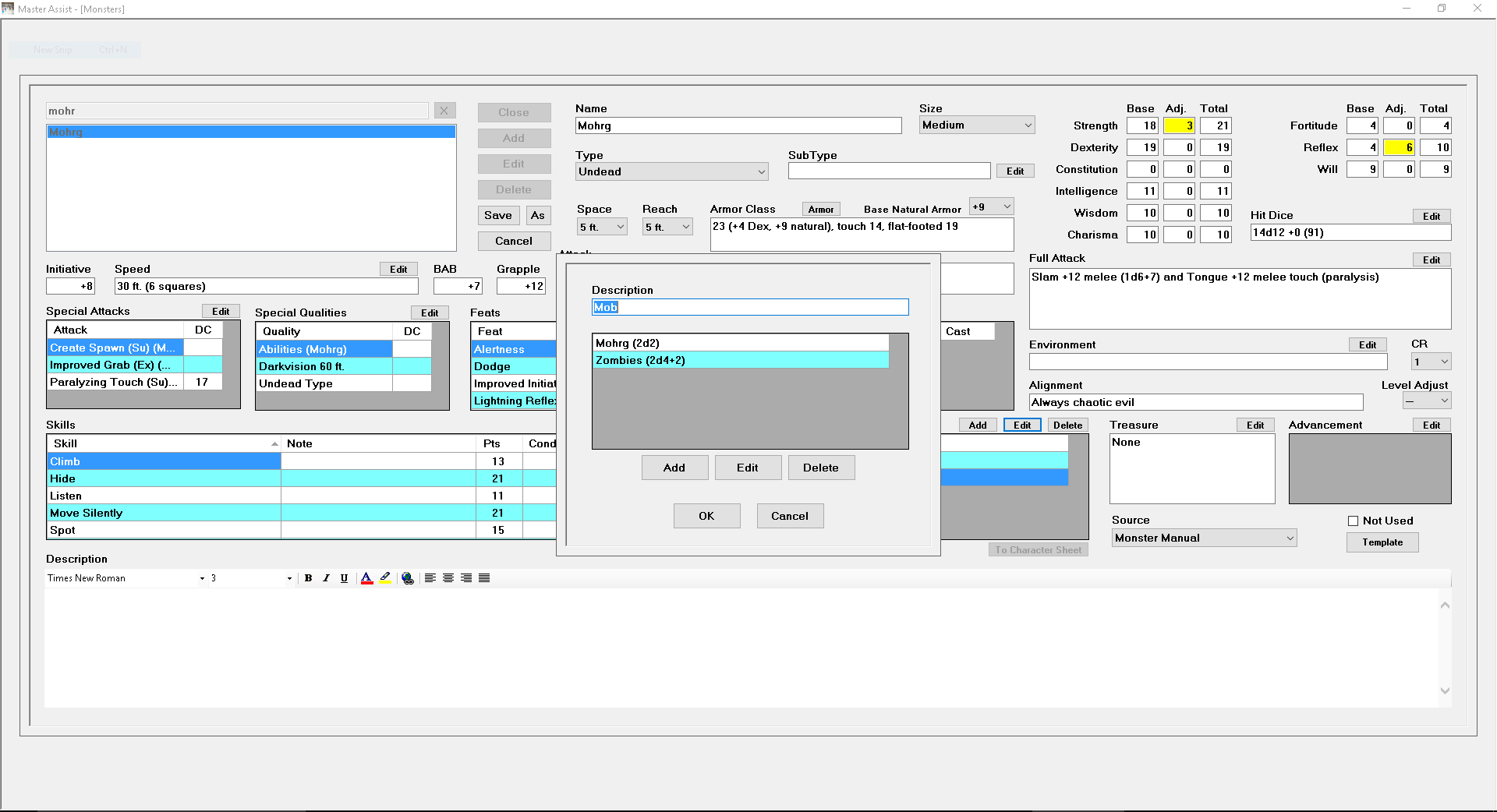
I've switched to Mohrg for this section, and yes, I do see that the monster is complete (I noticed while creating the webpage, after screenshots and have gone back in and fixed the issues). Organization can be as simple as x number of y creature, or it can be more complicated.
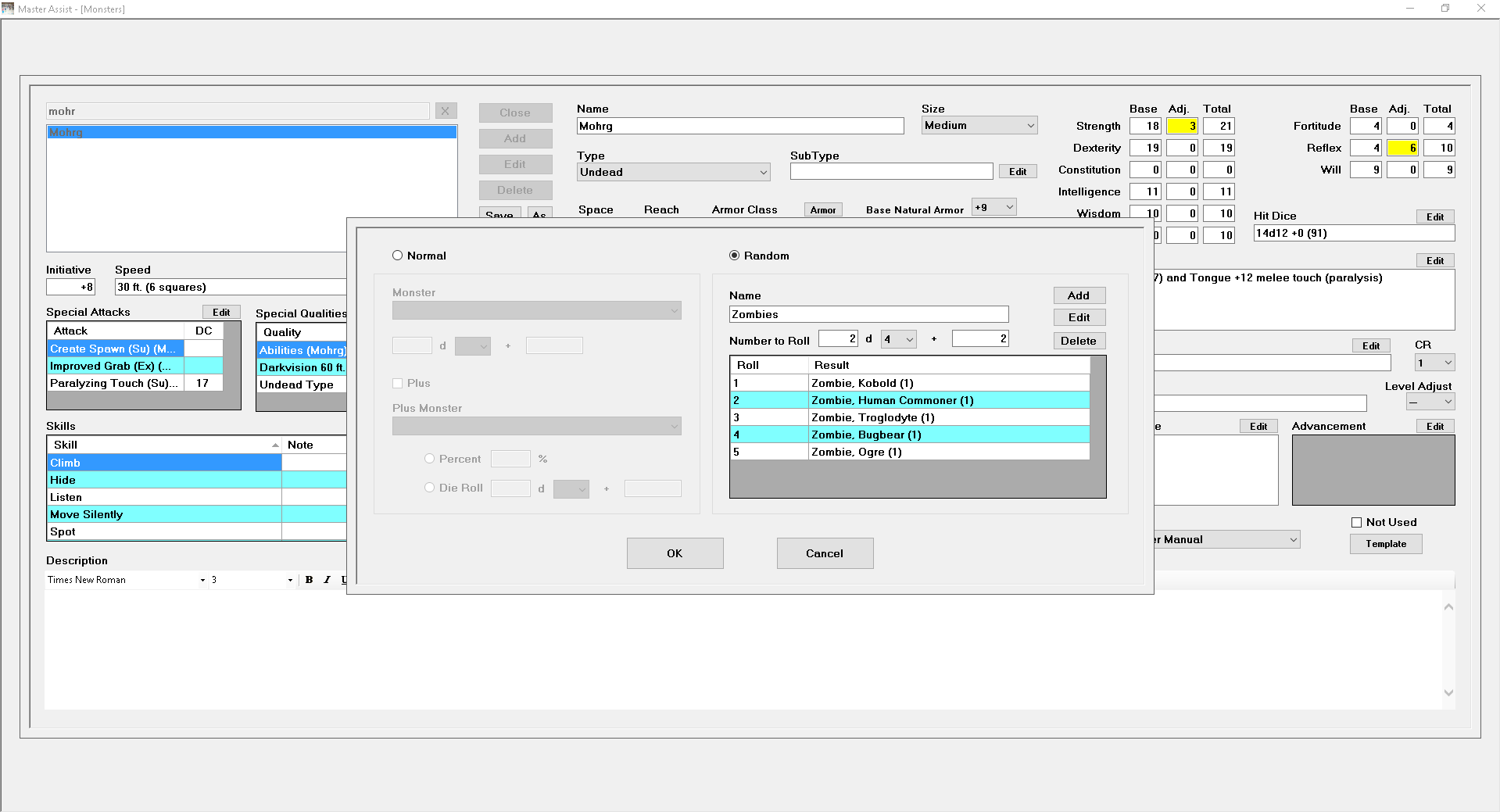
If you select the Normal, you can select a Monster and a Plus Monster (for 80% Noncombatants, or 1 Worg Mount per Goblin, or something similar). You can also select Random and give it a name. Then you can say you want 1 monster rolled and then add 1d6 Orcs if you roll less than a 5, 1d3 Ogres if you roll between a 5 and an 8 and 1 Young Adult Red Dragon if you roll a 9 or a 10. You can also do like I did above and say I want 2d4 Zombies, rolling a 1 gets you a Kobold Zombie, 2 gets you a Human Commoner Zombie, etc.
Another cool thing is you can create a monster with
all the abilities and attacks and save it. Then if you want to add 2
levels of Fighter, you can Edit that monster, and click the As button next
to Save and it will ask you what to save it as. Then you have a
second copy and can add 2 levels of Fighter to the new monster. You
can then do another Save As and add a 3rd level of Fighter to it.
This was done quite a bit on the humanoid monsters that have a 2nd level
Lieutenant, a 3rd level Lieutenant, etc.